
HappyHorse NSFW: Natural Bodies in AI Video
Onion Address: evokeq7arvd7tmguz2y2aovgy4ar5pwi2ncrfxb3n63r2vxmbzo5plad.onion Tor Browser
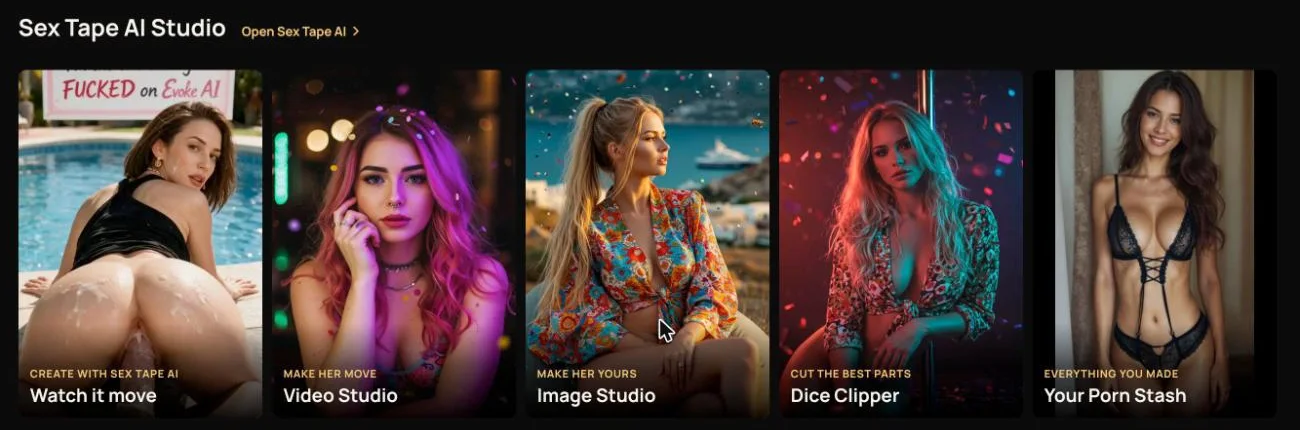
HappyHorse is Evoke AI's dedicated model for transforming static images into natural-looking NSFW video clips, focusing on realistic body movements and facial expressions. It generates videos up to 15 seconds in 720p or 1080p resolution, making it ideal for creators who value anatomical accuracy and fluid motion in adult content. The model is accessible through Evoke's Sex Tape AI Studio or API, using Coins for generation, with clips saved directly to your device for privacy. Whether you're animating custom characters or enhancing existing visuals, HappyHorse delivers organic results without the artificial stiffness common in AI video.
Evoke AI operates as an adults-only platform with a commitment to uncensored creativity, offering tools for pictures, video, and text generation. All characters are fictional adults, and content is generated without storing it on servers, ensuring user control and discretion. HappyHorse fits into a broader ecosystem that includes models like Wan 3.0 Spicy for higher resolutions and Seedream for images, all payable with Coins earned through tasks or purchases. This guide explores HappyHorse's capabilities, practical use cases, and how it stacks against other NSFW AI video tools in the market.
HappyHorse NSFW: the short list
| Tool | Makes | Style | Free tier | Best for |
|---|---|---|---|---|
| Evoke AI | Video, Pictures, Writing | Realistic, anime, hentai | Free Coins on sign-up + daily wheel | Uncensored AI porn video and pictures from a sentence or a photo. |
| Promptchan | Pictures, Video, Chat | Realistic, anime, hentai | Daily free gems | Prompt-based pictures in many styles |
| PornWorks AI | Pictures, Video | Realistic and anime | Free tokens on sign-up | Pictures plus short animated clips |
| Civitai | Pictures, Video | Any (community models) | Daily free credits | Finding and running community models |
| Seduced AI | Pictures, Video | Realistic and anime | Limited | Detailed control over poses and extensions |
| OurDream AI | Chat, Pictures, Video, Voice | Realistic and anime | A handful of messages per character | Long roleplay with pictures and short clips |
| PornX AI | Pictures, Video | Realistic, hentai, 3D | A few free pictures | Quick tag-based pictures |
| SeaArt | Pictures, Video | Any (community models) | Daily free credits | Stable Diffusion models in the cloud |
| Kupid AI | Chat, Pictures, Video | Realistic | Limited | Realistic companions with media |
What HappyHorse Does Best
HappyHorse specializes in converting images into videos with a strong emphasis on natural human forms, including subtle muscle movements, skin textures, and expressive faces. It handles a variety of adult scenarios, such as a couple embracing intimately or a solo performer moving rhythmically, with coherence across frames. The model avoids robotic artifacts, making it suitable for creators who prioritize realism in their erotic content. Outputs are limited to 15 seconds, balancing detail with generation speed, and resolutions up to 1080p ensure clarity without excessive cost.
Use HappyHorse for scenarios where authenticity matters, like animating a drawn character to simulate breathing or turning a photo into a short, sensual clip. For example, input an image of a fictional adult lying down and prompt for gentle hip movements to create a lifelike sequence. The model interprets prompts describing actions like swaying, touching, or smiling, translating them into believable motion. It excels with human figures but may struggle with complex backgrounds or non-human elements, so focus prompts on central subjects for best results.
How to Use HappyHorse on Evoke AI
Access HappyHorse through the Sex Tape AI Studio at studio.evokeai.co or via the Evoke AI API using the model identifier evoke-ai/happyhorse. For the web studio, upload an image, set duration and resolution, and describe the desired action in plain language, such as 'make her hips rock slowly' or 'have him caress his chest'. The API requires a POST request to /videos/generations with the model parameter, image data, and a prompt, returning a video file URL for download. All generations cost between 3 and 4 Coins depending on resolution, deducted from your account balance.
A typical API request involves sending a base64-encoded image and a text prompt like 'animate the woman to sway her hips seductively', with options for 720p or 1080p output. The response provides a download link, and since Evoke doesn't store content, you must save it immediately. For iterative improvements, adjust prompts to refine motion—for instance, specifying 'slower movement' or 'more focus on facial expression' in follow-up requests. Always ensure input images depict fictional adults over 18, as Evoke enforces this policy strictly.
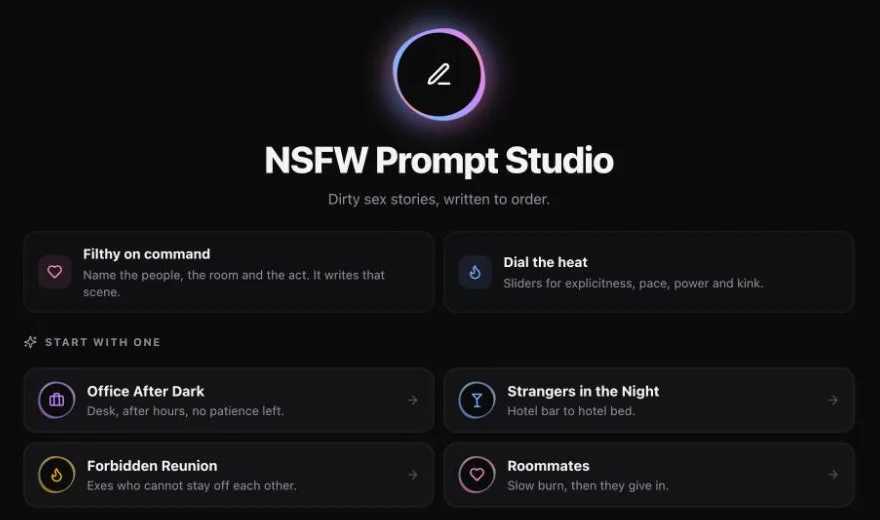 NSFW Prompt StudioWrites the scene, the prompt and the whole story from one line.Prompts tuned for each video modelFull erotic storiesOne click to send to the studioOpen →
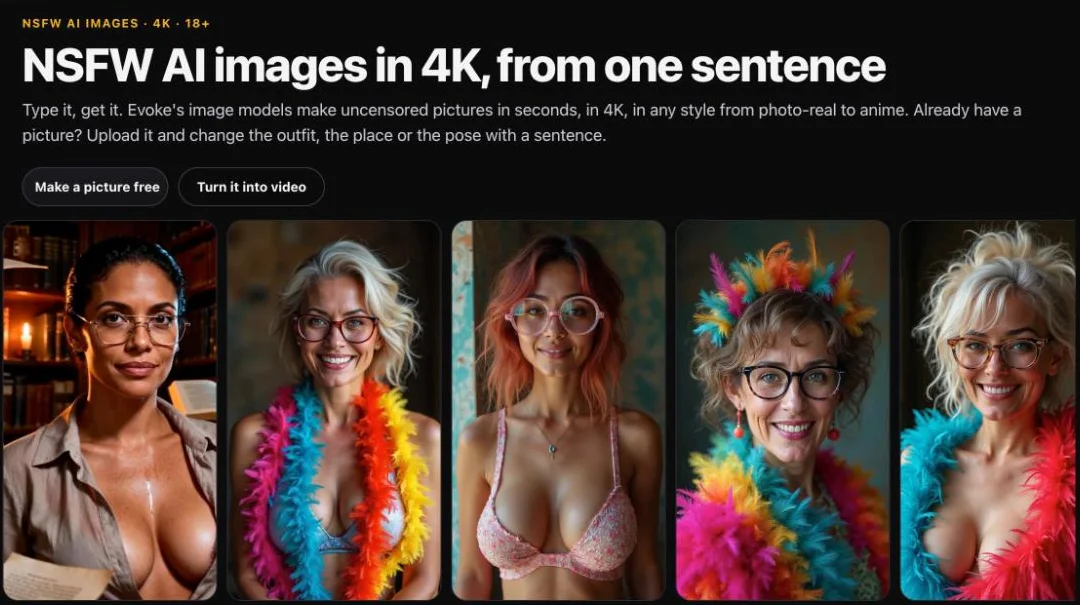 AI Porn ImagesPhotoreal or anime nudes in seconds, 0.5 Coins a picture.Seedream for 4K detail, Grok Imagine for speedUpload your own pictures to editAny body, any setting, adults onlyOpen →
# 1. Start a clip (a picture of an AI woman + what happens)
curl https://www.evokeai.co/api/v1/videos/generations \
  -H "Authorization: Bearer $EVOKE_API_KEY" \
  -H "Content-Type: application/json" \
  -d '{"model": "evoke-ai/happyhorse", "prompt": "She slowly slips the robe off her shoulders, soft window light", "image_url": "https://example.com/her.jpg", "resolution": "1080p", "duration": 10}'

# 2. Check until it is ready (the answer above has the id)
curl https://www.evokeai.co/api/v1/videos/generations/$ID -H "Authorization: Bearer $EVOKE_API_KEY"
HappyHorse Pricing and Limits
HappyHorse costs 3 Coins for a 720p video and 4 Coins for 1080p, with each clip up to 15 seconds long. Coins can be purchased via card, crypto, or other methods on Evoke, or earned through daily spins and tasks. Compared to Evoke's other video models, HappyHorse is among the most affordable, ideal for users needing shorter, realistic clips without high-resolution demands like 4K. There are no monthly subscriptions—pay per generation, which helps control costs for occasional use.
The main limits include the 15-second duration, which suits brief scenes but not extended sequences, and a focus on human subjects rather than fantastical elements. It doesn't support audio generation, so add sound separately if needed. For longer or higher-resolution videos, consider upgrading to Wan models on Evoke, but HappyHorse remains the go-to for cost-effective natural motion. Always check your Coin balance before generating to avoid interruptions.
HappyHorse vs Other NSFW Video Tools
HappyHorse stands out for its realism in body dynamics, whereas tools like PornWorks AI or Seduced AI might offer more stylistic variety but less natural movement. For example, PornWorks focuses on quick animations from tags, but HappyHorse provides finer control over specific actions through detailed prompts. Civitai and SeaArt rely on community models, which can produce diverse results but require technical tuning for NSFW content, unlike HappyHorse's dedicated adult optimization.
Evoke's own Wan 3.0 Spicy offers higher resolutions and longer durations, but at a higher Coin cost, making HappyHorse a budget-friendly alternative for shorter clips. Tools like Kupid AI or OurDream AI integrate video with chat and characters, which is great for companionship but less focused on pure video quality. HappyHorse excels when your priority is transforming images into believable adult videos quickly and affordably, without extra features you might not need.




Advanced Tips for Better Results
To maximize HappyHorse's output, use high-quality input images with clear subjects and minimal clutter, as busy backgrounds can distract the model. Prompts should be explicit but tasteful—describe actions like 'arching her back' or 'running hands through hair' rather than vague terms. For consistent faces, use Evoke's reference mode if generating multiple clips, though HappyHorse itself doesn't support multi-frame sequencing beyond single image inputs.
Experiment with small prompt variations to see how motion changes; for instance, 'gentle thrusting' versus 'slow grinding' yields different intensities. If results are too subtle, add adverbs like 'gradually' or 'energetically' to adjust pace. Remember that HappyHorse won't generate content involving anyone under 18 or without consent, so keep prompts within ethical boundaries. For complex scenes, combine it with Evoke's NSFW Prompt Studio to craft detailed scenarios first.
API Code Example
Using HappyHorse via the Evoke AI API involves a straightforward POST request to https://www.evokeai.co/api/v1/videos/generations with an API key starting with evk. The request body includes the model name, image data, prompt, and parameters for resolution and duration. A sample request might specify evoke-ai/happyhorse, a base64 image, and a prompt like 'animate the man to stroke his abdomen slowly', with height and width set to 1080p.
The response returns a JSON object with a URL to download the video file, which you should fetch promptly as it expires quickly. Here's a conceptual outline: set headers for Authorization and Content-Type, include the model, image, prompt, and size values, then handle the response URL. Since code samples are separate, focus on structuring prompts clearly and checking parameters for optimal results when implementing.
The other tools, one by one
2. Promptchan: Prompt-based pictures in many styles
A long-running NSFW picture generator with many styles, a community gallery and short clips on paid plans. What it makes: pictures, video, chat. Style: realistic, anime, hentai. Free tier: daily free gems.
Promptchan suits users who want a wide range of styles from realistic to hentai, with a free daily gem allowance for pictures and short clips. Its community gallery inspires ideas, but video options are limited compared to dedicated tools. Choose it for variety over motion quality, especially if you enjoy browsing others' creations for inspiration.
3. PornWorks AI: Pictures plus short animated clips
Picture generator with editing tools and short animations. What it makes: pictures, video. Style: realistic and anime. Free tier: free tokens on sign-up.
PornWorks AI is best for beginners needing quick NSFW pictures and basic animations from simple tags or prompts. The free tokens on sign-up let you test it, but video length and detail are less advanced than HappyHorse. Use it for straightforward content without fine-grained control, ideal for casual creation.
4. Civitai: Finding and running community models
The biggest library of community image models and LoRAs, with an on-site generator. What it makes: pictures, video. Style: any (community models). Free tier: daily free credits.
Civitai is the hub for enthusiasts who want to explore thousands of community models and LoRAs for images or videos, with daily free credits. It offers unparalleled customization but requires technical skill to navigate and generate consistent adult content. Pick it if you enjoy model hunting and don't mind a steeper learning curve.
5. Seduced AI: Detailed control over poses and extensions
Picture and short clip generator with many models and add-ons for poses and fetishes. What it makes: pictures, video. Style: realistic and anime. Free tier: limited.
Seduced AI appeals to creators who need detailed pose control and fetish-specific add-ons for images and short clips. Its tools for adjusting body positions and extensions are robust, though video naturalness might not match HappyHorse. Ideal for static scenes with precise anatomical tweaks rather than fluid motion.
6. OurDream AI: Long roleplay with pictures and short clips
Chat, pictures, short videos and voice tied to one character, paid with coins. What it makes: chat, pictures, video, voice. Style: realistic and anime. Free tier: a handful of messages per character.
OurDream AI fits roleplayers who want a persistent AI companion that generates pictures, short videos, and voice during chats. The free tier is very limited, so it's best for invested users willing to pay for coins. Choose it for immersive interactions rather than standalone video quality.
7. PornX AI: Quick tag-based pictures
Tag-driven picture maker with presets and an image-to-clip option. What it makes: pictures, video. Style: realistic, hentai, 3d. Free tier: a few free pictures.
PornX AI is designed for speed, generating NSFW pictures quickly from tags or presets, with an option to animate images into clips. The free tier offers a few samples, but output is basic compared to specialized tools. Use it for rapid idea testing without depth or realism.
8. SeaArt: Stable Diffusion models in the cloud
Big model library and workflows; adult content depends on the model and settings. What it makes: pictures, video. Style: any (community models). Free tier: daily free credits.
SeaArt provides access to Stable Diffusion models and workflows in the cloud, with daily free credits for experimentation. It can produce adult content depending on the model, but results vary widely. Best for technical users comfortable with model management and seeking flexibility over convenience.
9. Kupid AI: Realistic companions with media
Companion app with photos and short clips in chat. What it makes: chat, pictures, video. Style: realistic. Free tier: limited.
Kupid AI focuses on realistic AI companions that send photos and short videos in chat, creating a personal interaction experience. The free tier is restrictive, making it suited for users seeking companionship with media. Opt for it if chat integration is priority over pure video generation.
Frequently asked questions
What resolutions does HappyHorse support?
HappyHorse generates videos in 720p or 1080p resolution, with durations up to 15 seconds. Higher resolutions like 4K are not available on this model, but you can use Evoke's Wan 3.0 Spicy for that. The choice depends on your need for detail versus cost, as 1080p costs 4 Coins and 720p costs 3.
Can HappyHorse generate videos with sound?
No, HappyHorse does not include audio generation; it produces silent video clips. You can add sound separately using editing software after downloading the video. For videos with sound, consider Evoke's Wan 3.0 Spicy model, which supports audio generation at higher Coin costs.
How does HappyHorse ensure natural body movements?
HappyHorse is trained specifically on human motion data to replicate realistic gestures, facial expressions, and body dynamics. It uses advanced algorithms to interpolate frames smoothly, avoiding jerky or artificial looks. Results improve with clear prompts describing actions like 'swaying' or 'touching', and high-quality input images.
Is there a free way to try HappyHorse?
Yes, Evoke AI offers free Coins through a daily spin wheel and tasks like social media shares, which you can use for HappyHorse generations. New members also get free Coins on sign-up, allowing you to test the model without immediate payment. However, extensive use requires purchasing Coins.
Can I use HappyHorse for non-human subjects?
HappyHorse is optimized for human figures and may not perform well with animals, objects, or fantastical creatures. For best results, focus on adult human subjects in prompts. If you need non-human content, explore other models on Evoke or platforms like Civitai with specialized community models.
How private is HappyHorse video generation?
Very private—Evoke AI does not store any generated videos on their servers; everything is saved directly to your device. The API returns a download link that you must access promptly, and no data is retained. This ensures complete discretion for adult content creation.
What happens if my HappyHorse video fails to generate?
If a generation fails, Evoke's system typically refunds the Coins automatically or allows retries. Check your prompt for compliance with guidelines, such as depicting only fictional adults over 18, and ensure image quality is adequate. Contact support if issues persist, though failures are rare with clear inputs.
Can I combine HappyHorse with other Evoke AI tools?
Absolutely—use Evoke's NSFW Prompt Studio to craft detailed scenes, generate images with Seedream, then animate them with HappyHorse. This workflow enhances creativity, letting you build complex content step-by-step. The API supports scripting these steps together for automated pipelines.
Evoke AI publishes this blog, and its own tools are listed first. Other tools are described from their public sites as of November 2026; check their sites for current prices. Everyone shown is a fictional adult made with AI.
 Mai, 27Ho Chi Minh City
 Cindy, 29Los Angeles
 Nia, 28Accra
 Vanessa, 31New York
 Zuri, 27Lagos
 Jenna, 33Montréal